You're Probably Already Using AI — Here's How to Actually Get Good At It
Published April 2026

Here's something that might surprise you: according to a Gallup study, nearly all Americans use products with AI features — but 64% don't realize it.¹
If you've ever accepted a suggested reply in Gmail, followed a rerouted path on Google Maps, let your email app sort spam from real messages, or watched your phone predict the next word you were about to type — congratulations, you've used artificial intelligence. You just didn't call it that.
For small business owners, this is actually good news. The biggest mental hurdle with AI — "I don't know how to start" — is largely imaginary. You've already started. You've been using AI for years. The question isn't whether you should adopt it. The question is whether you're going to keep using it accidentally, or start using it on purpose.
That's what this post is about.
You're Already in the Pool
AI has become so embedded in everyday software that most of its work is invisible. And that's by design — the best AI features don't announce themselves. They just quietly make things work a little better.
Here's a quick tour of the AI you're probably interacting with every day without thinking twice about it:
Your phone's keyboard predicts your next word and autocorrects your typos using natural language processing — a core AI technology. It learns your patterns over time, which is why it eventually starts suggesting your most-used phrases.
Your email uses AI to filter spam, categorize messages into tabs (Primary, Promotions, Updates), and suggest quick replies. If you've ever tapped "Sounds good, thanks!" instead of typing it out, that was AI reading the context of the message and offering a relevant response.
Google Maps and Waze use AI to analyze real-time traffic data, predict congestion, and reroute you around delays. Every time you follow a "faster route" suggestion, an AI model made that call.
Streaming services like Netflix and Spotify use AI to recommend what you watch or listen to next, based on your history and the behavior of millions of similar users.
Your bank or credit card company uses AI to detect fraud. Ever gotten a text asking "Was this you?" after an unusual purchase? That's an AI model flagging a transaction that didn't match your normal spending pattern.
None of this feels like "using AI" because it's so seamless. But that's exactly the point — the technology works best when you barely notice it. And the same principle applies in your business.
The Software You Already Pay For Is Smarter Than You Think
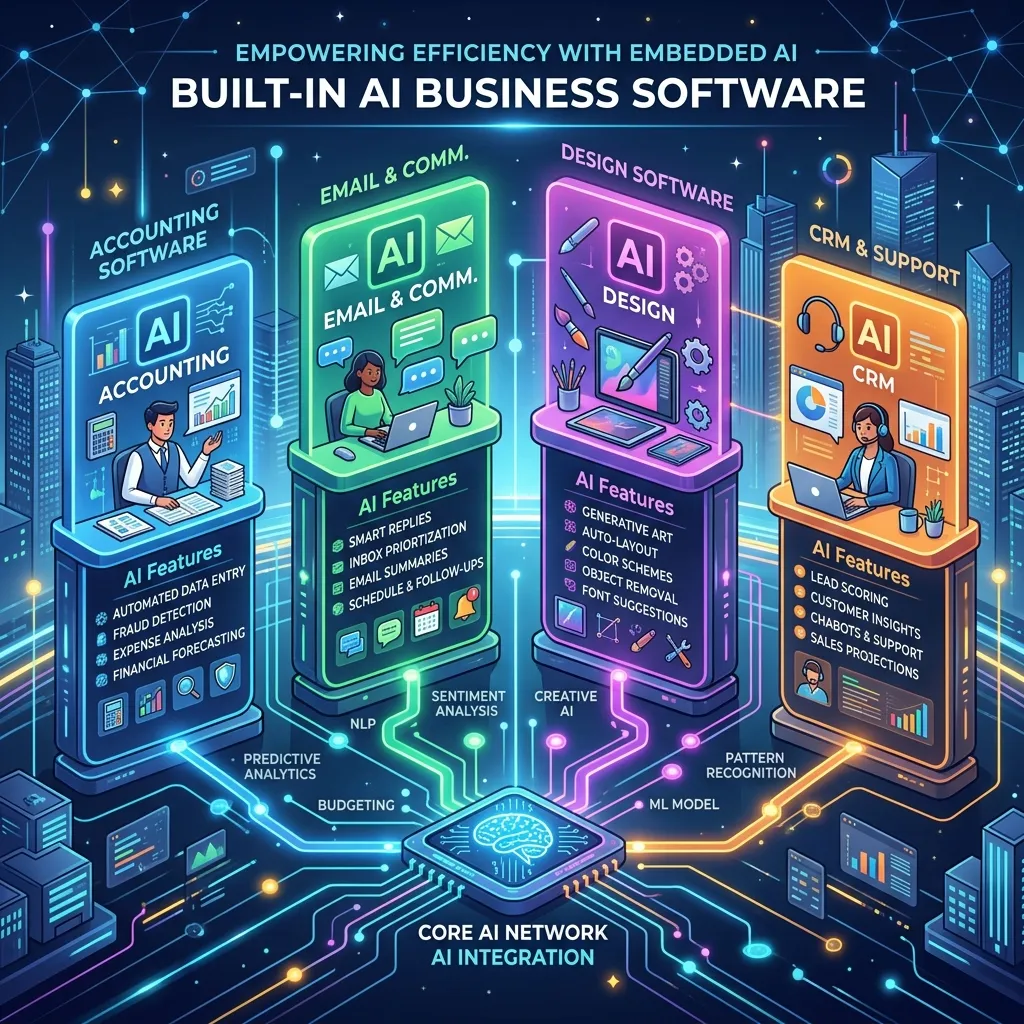
Here's where it gets interesting for business owners. Many of the tools you already use every day have added AI features in the last year or two — features that most users never explore. Before you sign up for a single new tool, it's worth looking at what you're already sitting on.
QuickBooks now includes Intuit Assist, an AI-powered assistant built right into the platform. It can automatically categorize your expenses, flag unusual transactions, forecast your cash flow, and answer plain-English questions like "Which customers have unpaid invoices?" If you're still manually sorting receipts, you're doing work the software is ready to handle for you.
Mailchimp has quietly become much smarter. Its AI features can optimize the send time for each individual subscriber, generate subject line suggestions, segment your audience based on predicted behavior, and build automated customer journeys. Most small businesses using Mailchimp are only scratching the surface.
Canva launched Magic Studio, which includes AI-powered design generation, background removal, text-to-image creation, and a feature called Magic Switch that automatically reformats a single design for different platforms — turning a presentation slide into an Instagram story, a LinkedIn post, and a blog banner with one click.
Google Workspace has integrated Gemini across Gmail, Docs, Sheets, and Meet. It can draft emails, summarize long threads, generate content in Docs, create formulas in Sheets, and pull highlights from recorded meetings. If you have a Google Workspace subscription, you likely have access to features you've never opened.
Shopify built Sidekick, an AI assistant that can write product descriptions, analyze your sales data, answer questions about your store's performance, and handle common customer inquiries.
The pattern here is clear: the tools aren't waiting for you. They've already added the AI. The gap is between what the software can do and what most users are asking it to do — which, in most cases, is almost nothing.
The Gap Between "Using AI" and "Being Good at AI"
So if everyone's already using AI to some extent, why are some businesses getting dramatically more value from it than others?
A recent study from KPMG and the University of Texas McCombs School of Business found that the difference between routine and sophisticated AI users isn't technical ability. It's patterns of engagement.² The most effective users weren't the most tech-savvy — they were the most intentional. They iterated on outputs. They refined their requests. They treated AI as a thinking partner rather than a one-shot answer machine.
This tracks with what most people experience the first time they try a tool like ChatGPT. They type in something vague, get a mediocre response, and walk away thinking, "That wasn't very useful." But the problem wasn't the tool — it was the input. AI responds to what you give it. Give it something lazy, and you get something lazy back.
The good news? Closing this gap doesn't take a course or a certification. It takes a shift in how you approach the interaction. Think of it like the difference between searching Google for "marketing" versus "email marketing strategies for local service businesses under 20 employees." Same tool, wildly different results.
Five Ways to Go From Accidental to Intentional
You don't need to overhaul anything. These are small shifts in habit that make a big difference in what you get out of AI — whether you're using a standalone tool like ChatGPT or features built into software you already have.
1. Start noticing. For one week, pay attention every time AI does something for you. Autocomplete in an email. A suggested reply. A categorized expense. A recommended route. You'll be surprised how often it happens — and once you see it, you'll start recognizing opportunities to use it more deliberately.
2. Ask better questions. This is the single biggest lever. A vague input gets a vague output. Instead of "Write me a marketing email," try "Write a short, friendly marketing email for my landscaping company announcing a spring cleanup special, targeted at existing residential customers in the Denver area. Keep it under 150 words and include a call-to-action to book online." Same tool, completely different result. (More on this in a minute.)
3. Iterate instead of accepting. Most people take the first output AI gives them and either use it as-is or give up. The real value comes from the back-and-forth. Say "Make this shorter." "Try a more casual tone." "Give me three different subject line options." "Now rewrite it as if the reader has never used our service before." Treat it like a conversation with a coworker who's drafting something for you — because that's essentially what it is.
4. Build it into your routine. Don't use AI only when you remember. Make it a default step in specific workflows. Every client email gets a quick AI polish pass. Every social media post starts as an AI draft that you refine. Every meeting gets auto-summarized. When AI becomes part of your process instead of an occasional experiment, the time savings compound fast.
5. Explore what you're already paying for. Set aside 30 minutes this week and click through the AI features in your existing business software. Open QuickBooks and try Intuit Assist. Go into Canva and experiment with Magic Studio. Check if your email platform has AI-powered send-time optimization or subject line suggestions. You're likely paying for capabilities you've never touched.
A Quick Prompting Primer
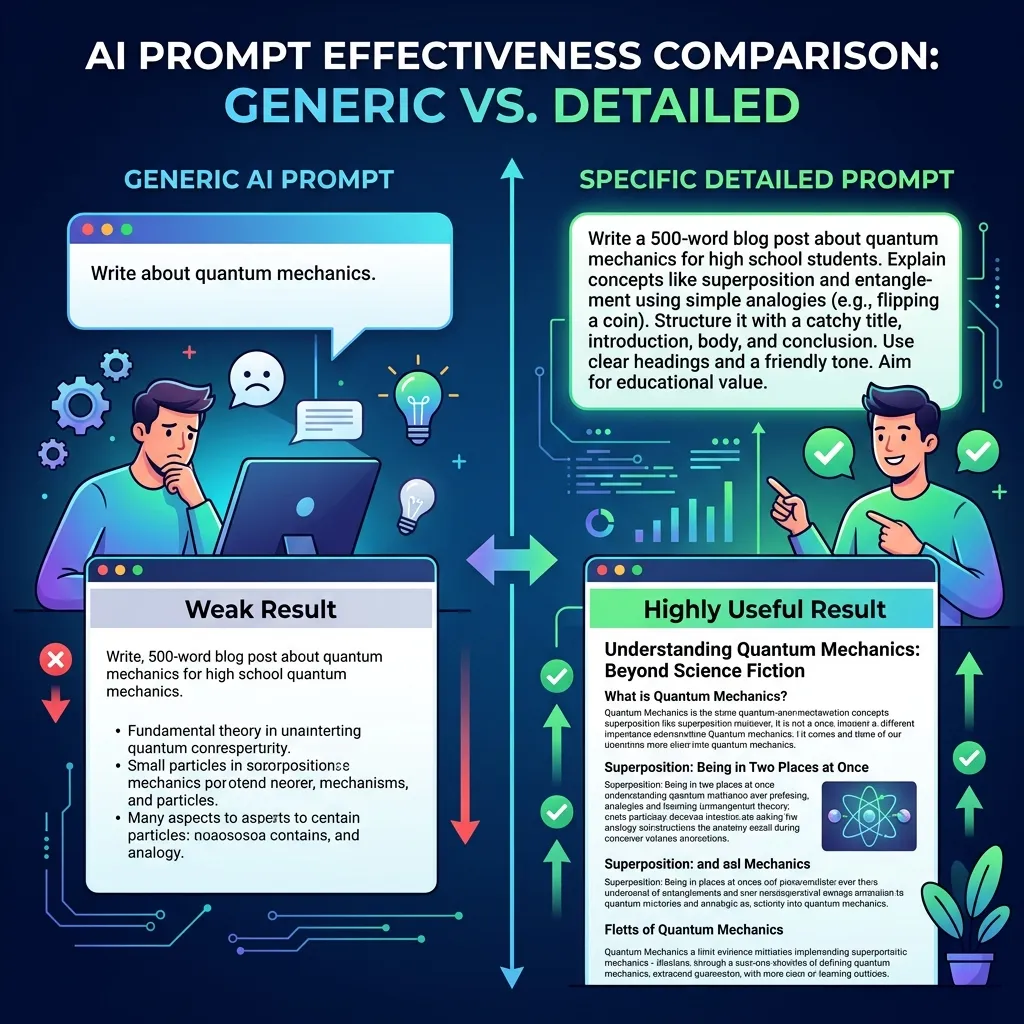
Since so much of AI's usefulness comes down to how you talk to it, let's look at what the difference between a weak prompt and a strong one actually looks like in practice.
Example 1 — Client Email
Weak prompt: "Write a follow-up email to a client."
Strong prompt: "Write a follow-up email to a residential client who received a quote from my plumbing company last week and hasn't responded. Tone should be friendly and not pushy. Mention that the quote is valid for 30 days and include a soft call-to-action to schedule the work. Keep it under 120 words."
The first prompt will get you a generic, forgettable email. The second will get you something you might actually send — with maybe a few tweaks.
Example 2 — Social Media Post
Weak prompt: "Write a social media post about my business."
Strong prompt: "Write a short Instagram caption for my bakery announcing that our seasonal strawberry shortcake is back. Tone should be excited but not over-the-top. Target audience is local customers in the Salt Lake City area. Include a call-to-action to stop by this weekend. Add two relevant hashtag suggestions."
Example 3 — Meeting Summary
Weak prompt: "Summarize this meeting."
Strong prompt: "Summarize this meeting transcript into three sections: key decisions made, action items with owners and deadlines, and open questions that still need to be resolved. Keep it to one page."
The pattern is the same every time: tell it what you want, who it's for, what tone to use, and how long it should be. The more context you provide, the closer the output is to something useful on the first try.
And here's a cheat code most people overlook: if you're not sure how to write a better prompt, ask AI to help you write one. Seriously. You can type something like, "I want to use AI to write a follow-up email to a client who got a quote but hasn't responded. What information should I include in my prompt to get the best result?" The AI will essentially coach you through how to talk to it. It'll tell you what context it needs — tone, length, audience, goal — so you can feed it a stronger request. It's like asking a coworker, "What do you need from me to do this well?" It feels almost too simple, but it's one of the fastest ways to level up if you're just getting started.
The Bottom Line
The shift from accidental AI user to intentional AI user doesn't require new software, a new budget line, or a weekend seminar. It requires three things: noticing what's already happening, getting a little more specific about what you ask for, and being willing to iterate instead of accepting the first thing that comes back.
The small business owners getting the most out of AI right now aren't the most technical. They're the most curious. They're the ones who looked at a tool they were already using and thought, "I wonder what else this can do" — and then spent twenty minutes finding out.
That's the whole secret. There isn't a bigger one.
This is Part 2 of the AI Without the BS series. Up next: What AI Won't Do For Your Business (And What It Actually Will) — an honest look at the limitations, the hype, and where AI actually delivers.
Want help figuring out which AI features in your current tools you should actually be using? That's exactly the kind of thing we do. [Get in touch for a consultation.]
Sources:
Gallup / Telescope, "Americans Use AI in Everyday Products Without Realizing It" (January 2025)
KPMG / University of Texas McCombs School of Business, "Behaviors Behind High-Impact AI Use" (March 2026)